CDN Setup
CloudFront Distribution for Static Content
Overview
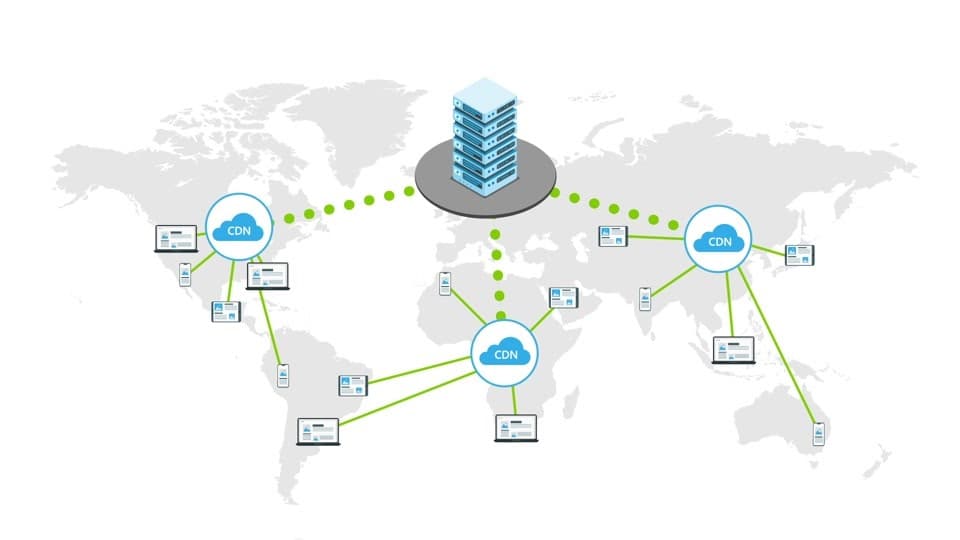
This project provisions a basic CDN setup using CloudFront to deliver static content globally with low latency. It connects a storage origin and configures caching and HTTPS for faster and secure delivery.
The goal is to enable high performance, global access, and simple edge caching.
Stack
Terraform
Amazon CloudFront
Amazon S3
Architecture
User → CloudFront → S3 (Origin)Step 1: S3 Bucket (Origin)
resource "aws_s3_bucket" "static" {
  bucket = "my-static-site-bucket"
}
Step 2: CloudFront Distribution
resource "aws_cloudfront_distribution" "cdn" {
  origin {
    domain_name = aws_s3_bucket.static.bucket_regional_domain_name
    origin_id   = "s3-origin"
  }

  enabled = true

  default_cache_behavior {
    target_origin_id       = "s3-origin"
    viewer_protocol_policy = "redirect-to-https"

    allowed_methods = ["GET", "HEAD"]
    cached_methods  = ["GET", "HEAD"]

    forwarded_values {
      query_string = false
      cookies {
        forward = "none"
      }
    }
  }

  viewer_certificate {
    cloudfront_default_certificate = true
  }
}
Commands
terraform init
terraform apply
Result
Static content served via CDN
Reduced latency using edge locations
HTTPS enabled by default
Cached responses for faster load times
Key Points
Improves global performance
Reduces load on origin (S3)
Simple and scalable setup
Works well for static sites
Final Note
This project demonstrates how to set up a basic CDN using CloudFront.
It ensures faster content delivery and better user experience with minimal infrastructure.
More Projects
Explore other projects from my portfolio